Tower E current price lists, stock, payment terms, exact floor areas and use restrictions are not established by the supplied marketing images. Request updated written details.
Do not apply the separately listed City Clou Tower D pricing or room measurements to Tower E.
Project imagery and marketing plans are for reference; confirm final approved specifications, amenity access and turnover dates.
Plans & Layouts
Building Floor Plans
Open and enlarge the available building-level, tower, podium, typical-floor, site, or development plans directly on the page.
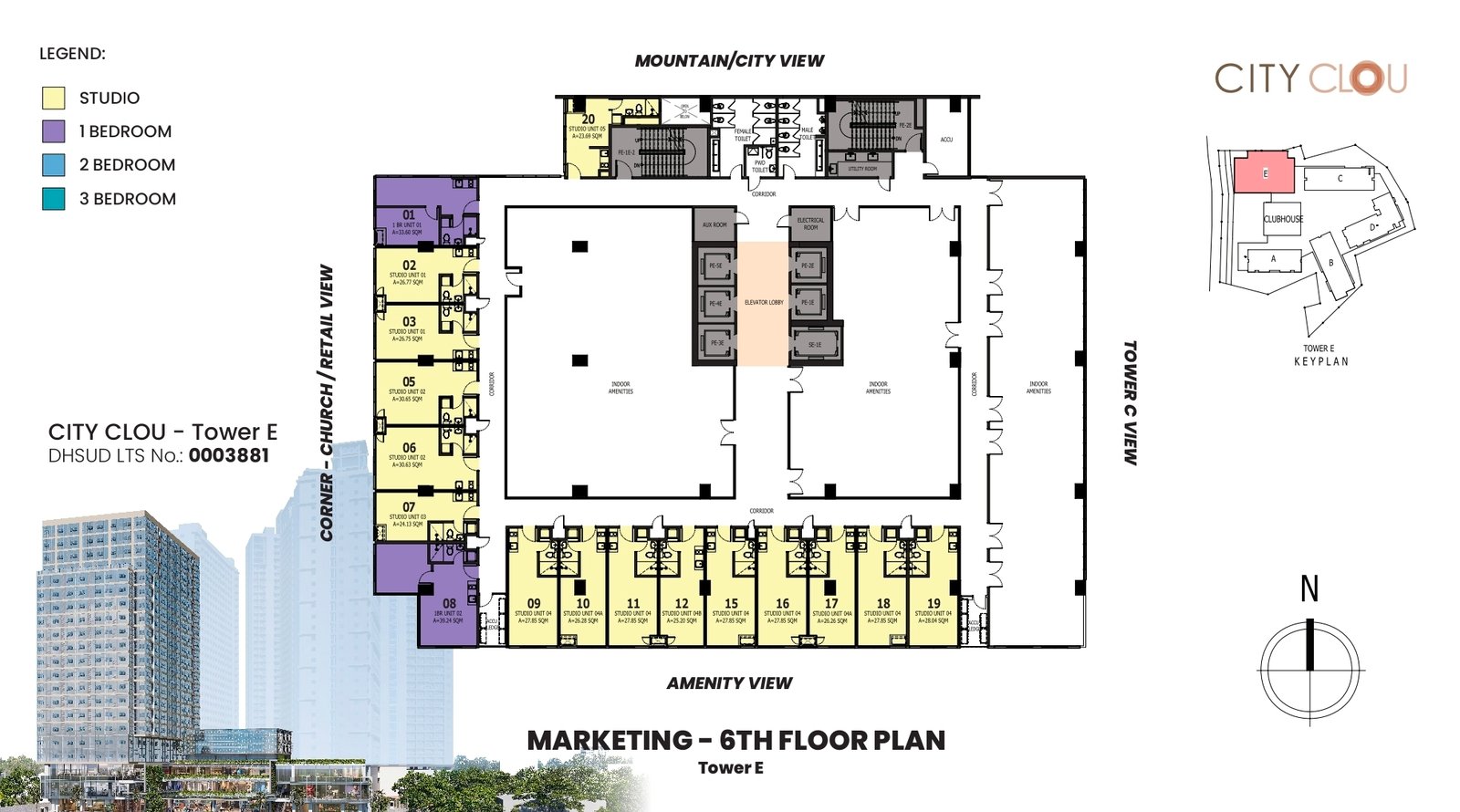
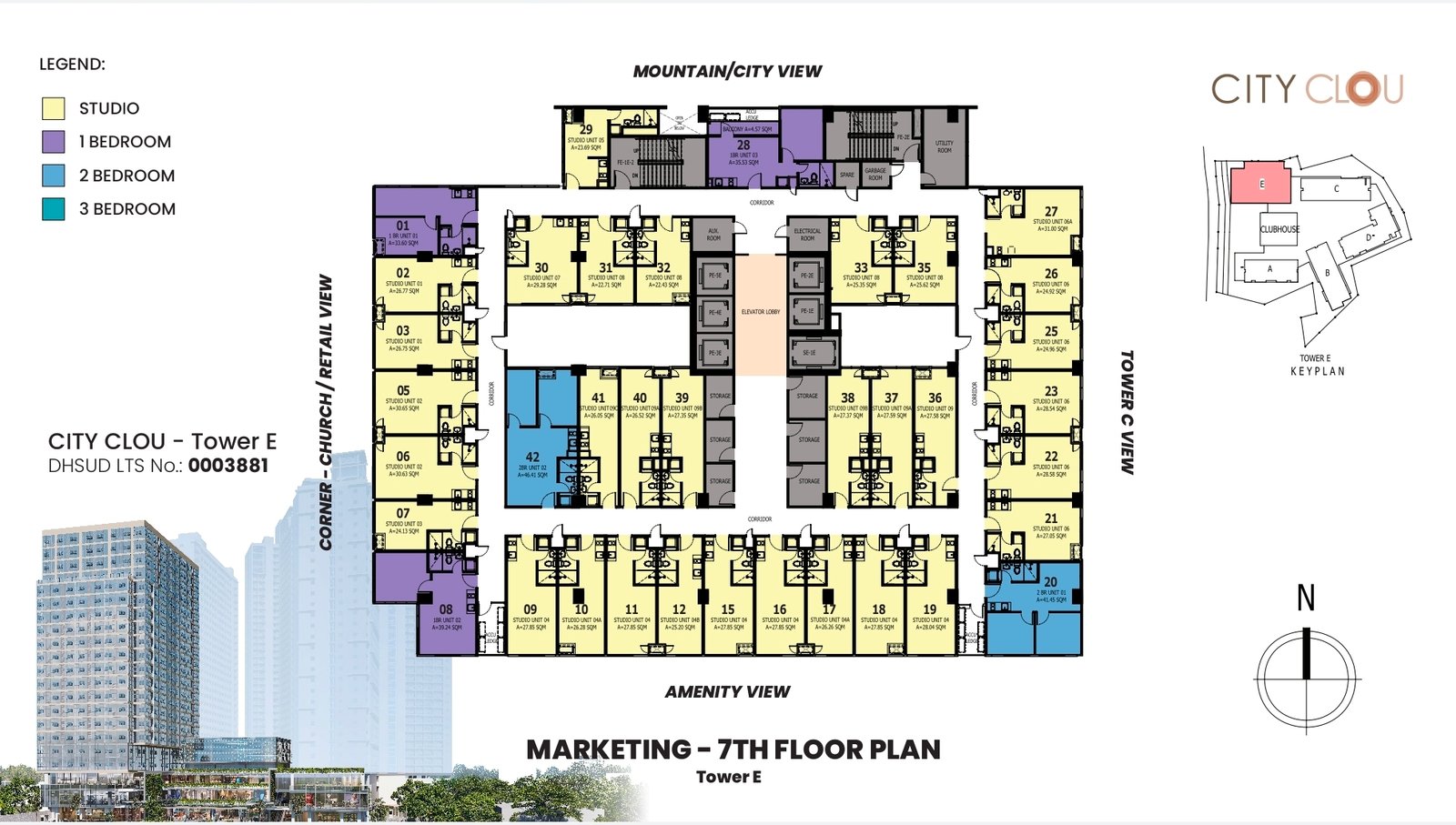
6th and 7th floor
Reference layouts include studio, one-bedroom and selected two-bedroom arrangements alongside common spaces.
Developer marketing drawings supplied to CEBOOM in October 2026. Plans may change; available units, unit sizes and use classifications require confirmation.
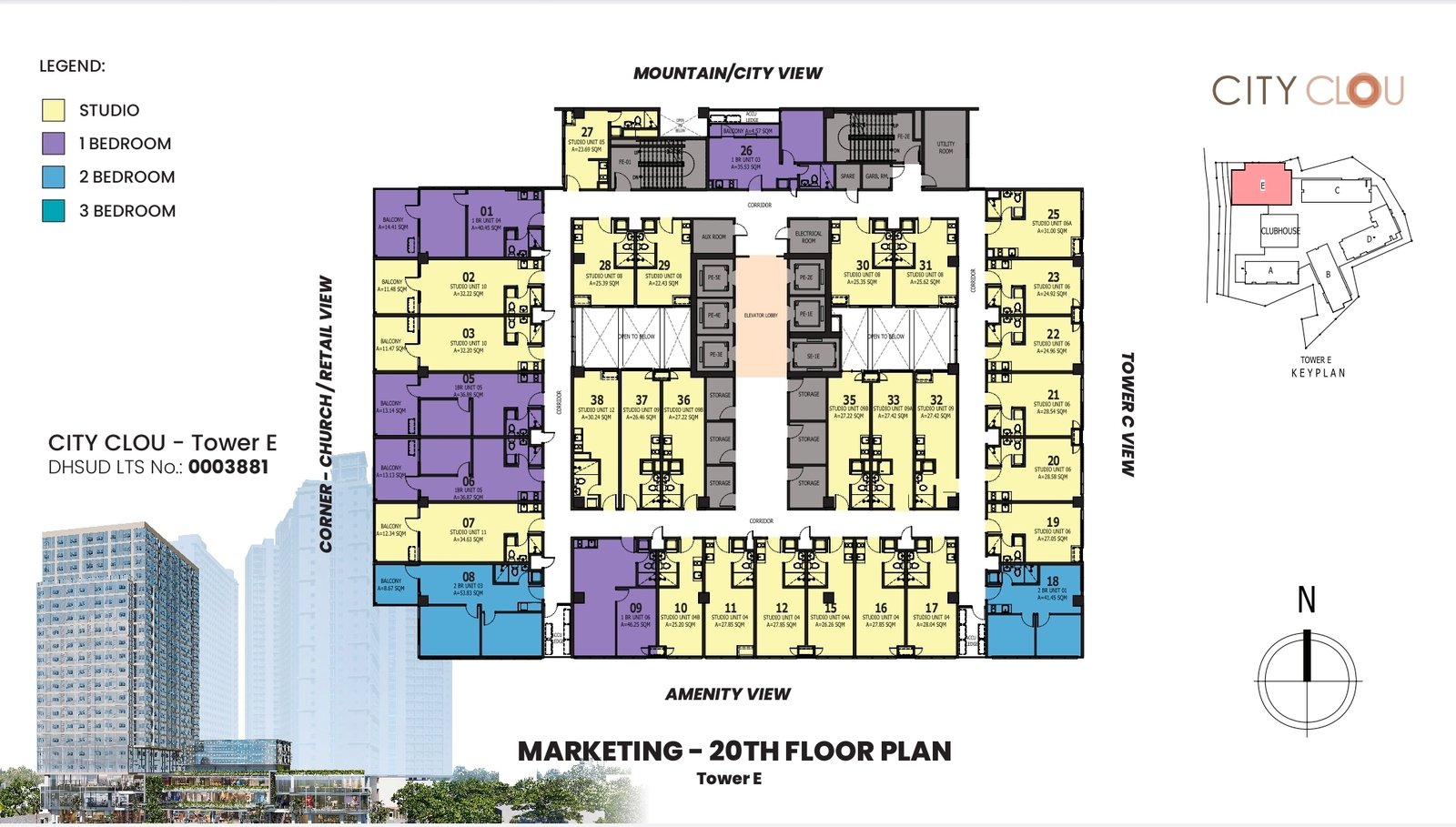
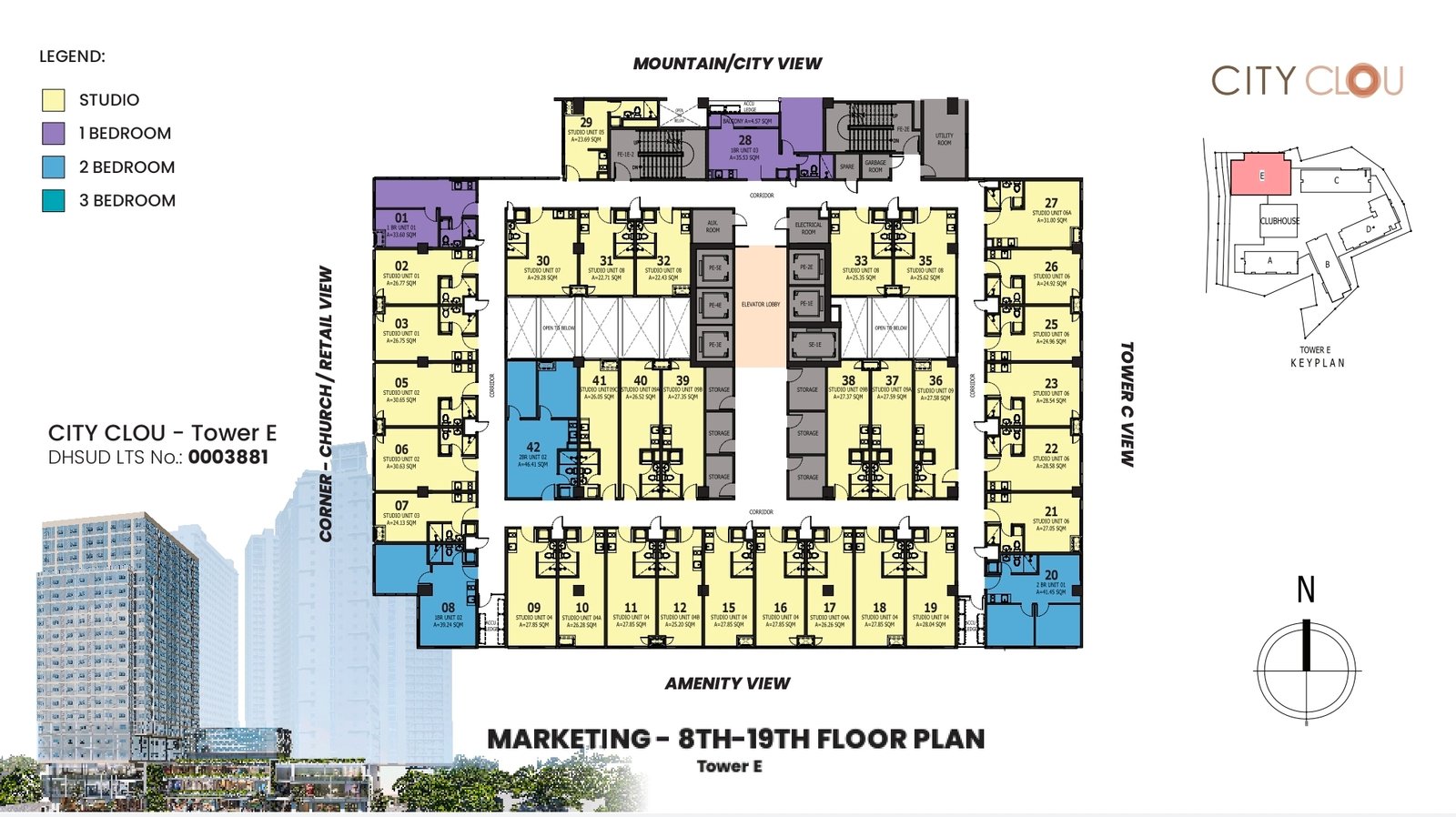
8th–19th floor
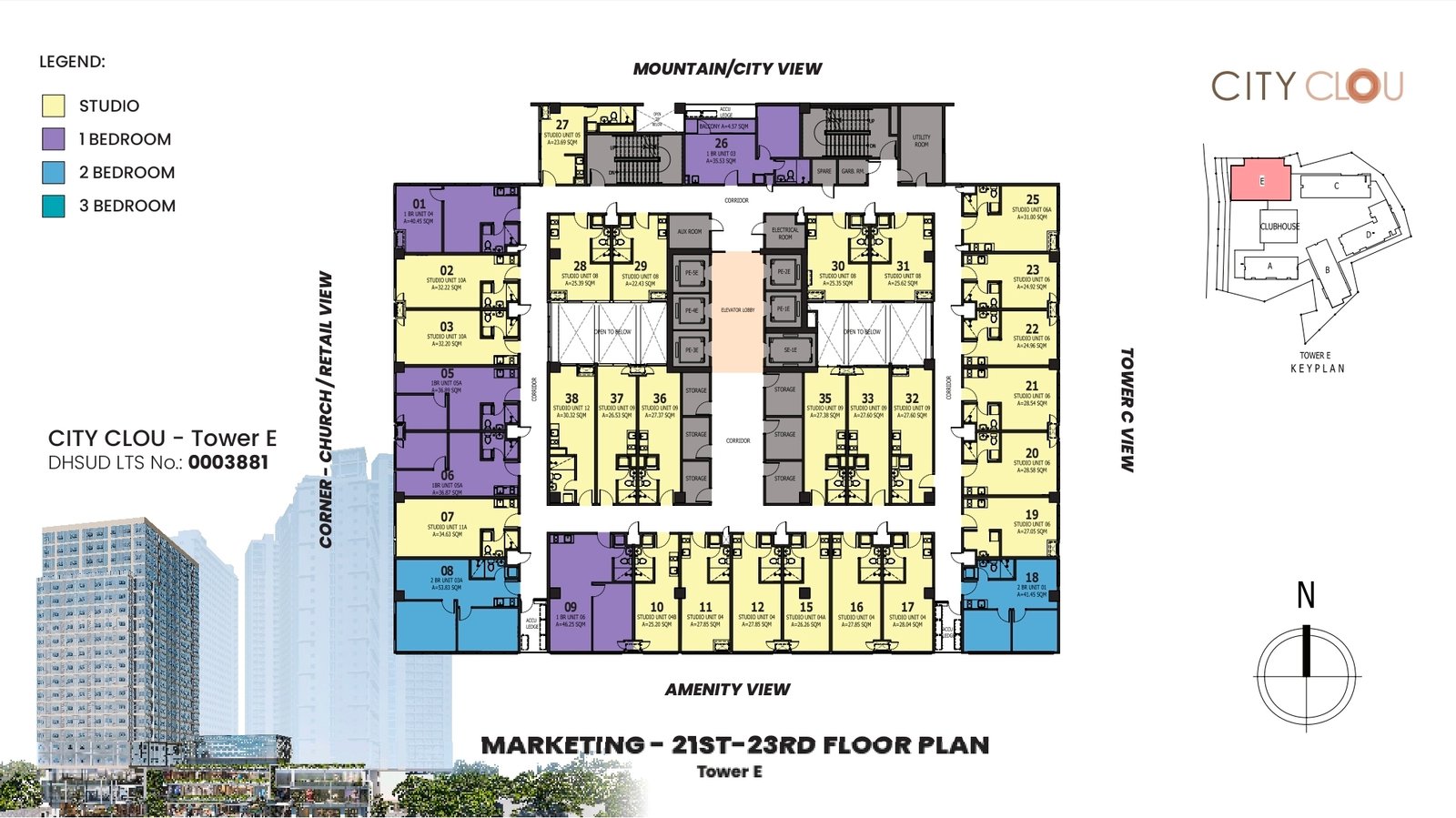
Floor-range reference drawing with unit numbers and a mix of unit types; do not assume every unit remains available.
8th–19th-floor marketing plan
City Clou lifestyle
Urban living meets everyday convenience
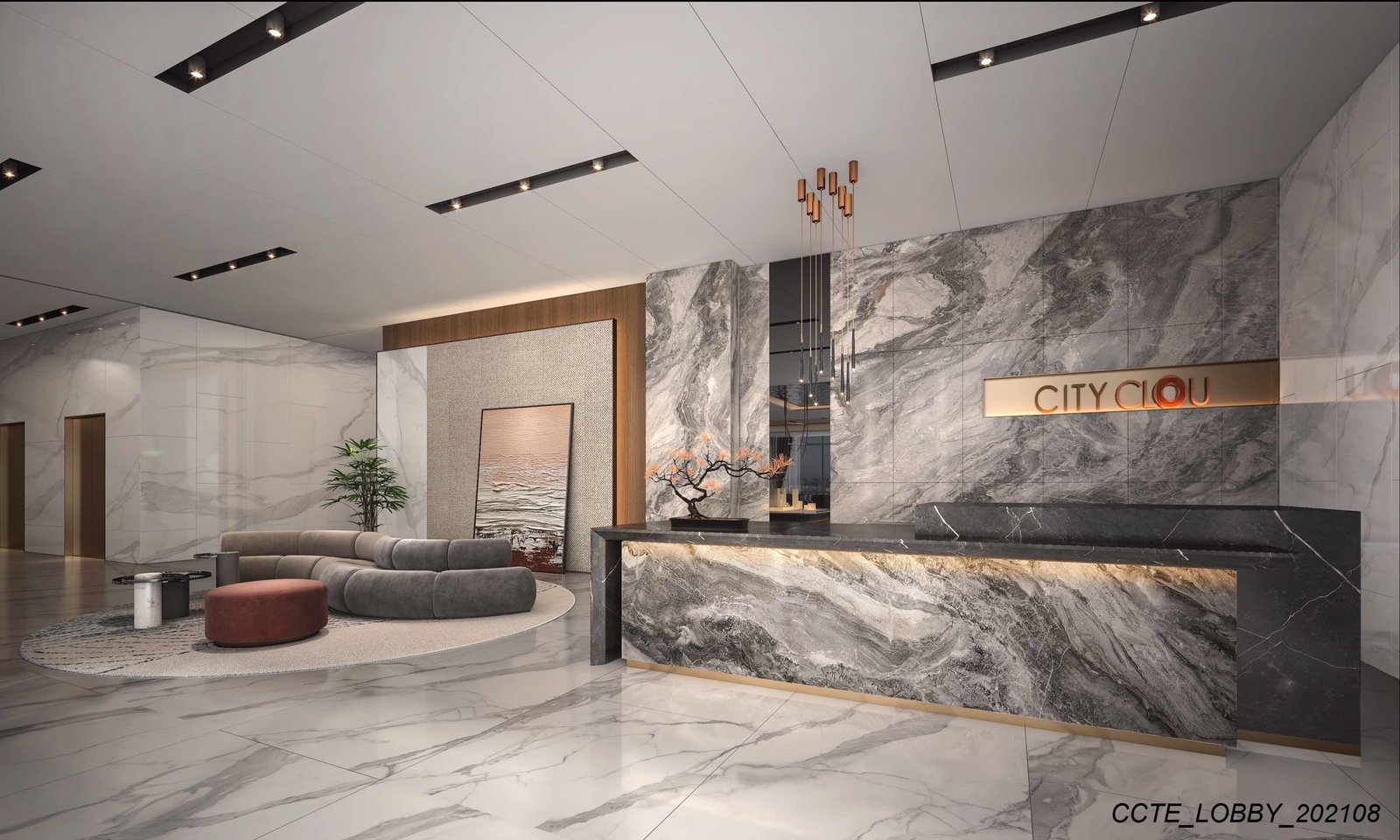
Project-wide commercial and lobby images supplied by the owner. Perspective images illustrate design intent rather than guaranteed delivered features.
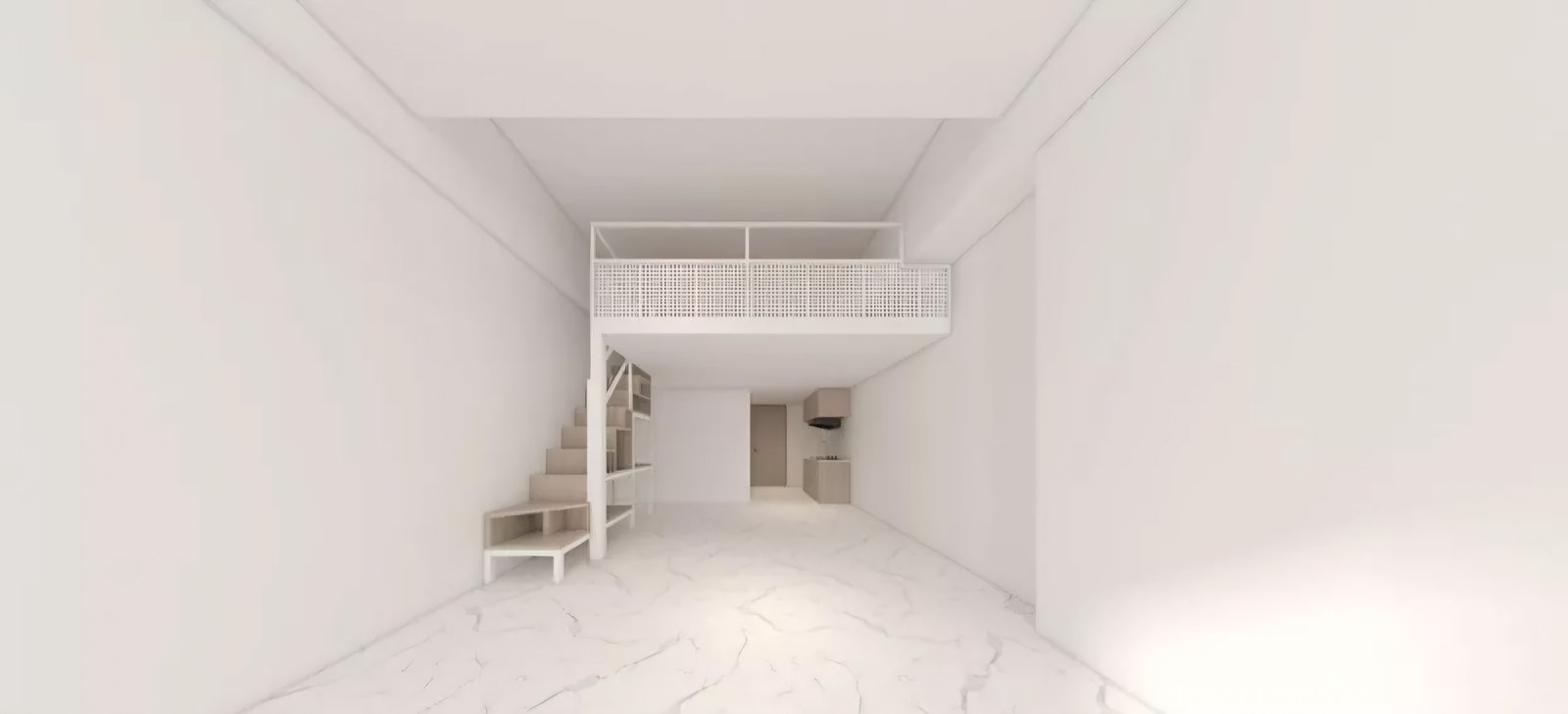
Tower E lobby · Reference imageCity Clou retail and community podium · Artist's perspectiveInterior layout example · Reference perspective
Central Cebu City
D. Jakosalem Street, Zapatera
City Clou sits within midtown Cebu, near General Maxilom Avenue. Confirm access, unit views and project maps with CEBOOM.
The supplied drawings do not establish present available units. Contact CEBOOM for the latest available units, prices and terms.
What unit types are shown?
Tower E marketing drawings show studio, one-bedroom and two-bedroom layouts on the indicated floors. Confirm the actual unit designation before choosing. Use the size and floor plan to narrow your choice, then ask CEBOOM to check the exact layout you prefer.
Does the Tower E folder mean I can use a unit as a SOHO or office?
The source folder is marked residential and SOHO, but that does not by itself verify the authorized use of any particular unit. Request written confirmation of the intended use and developer specifications. Use the size and floor plan to narrow your choice, then ask CEBOOM to check the exact layout you prefer.
Hi! I’m Aya. I can help you understand CEBOOM properties, compare documented options, and narrow choices by budget, location, or unit type. Current prices and unit options should still be confirmed with CEBOOM.
 Zoom / enlarge